Cryptographic Discovery

Start PQC Planning by Finding Cryptography in Code

Enterprise readiness needs an evidence-based view of where cryptography is used. This product guide introduces PostQ Code Scanner and how source-code discovery can help teams build that view.

Inside PostQ Code Scanner

Explore the scanner workflow, developer interfaces, reports, and resources across the presentation slides.
Slide 1

PostQ Code Scanner

Cover slide introducing PostQ Code Scanner and source-code cryptographic discovery.
Cryptographic Discovery - slide 1

Cryptographic discovery gives an organization a concrete place to begin its PQC work: identify where cryptographic APIs are used, what algorithms and parameters are visible, and which findings need follow-up. The scanner groups related calls into traceable findings for review.

Slide 2

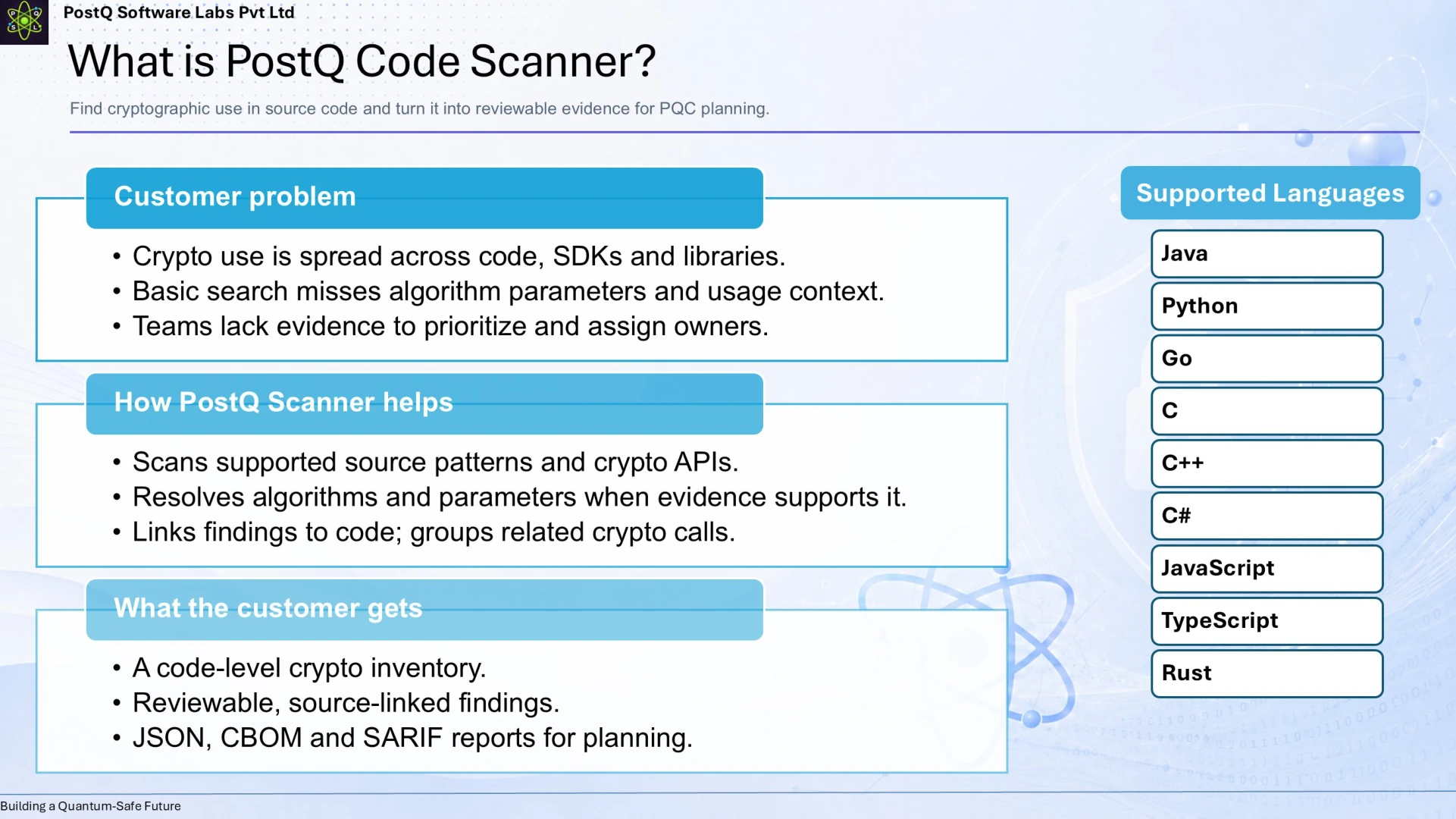
What is PostQ Code Scanner?

Diagram showing the customer problem, scanner workflow, code-level inventory, and supported programming languages.
Cryptographic Discovery - slide 2

A simple search for API names can reveal use, but usually leaves teams to assemble context themselves. The scanner analyzes supported source patterns and crypto APIs, resolves algorithms and parameters where evidence allows, and links findings to source code. The result is a reviewable code-level inventory to inform planning.

Slide 3

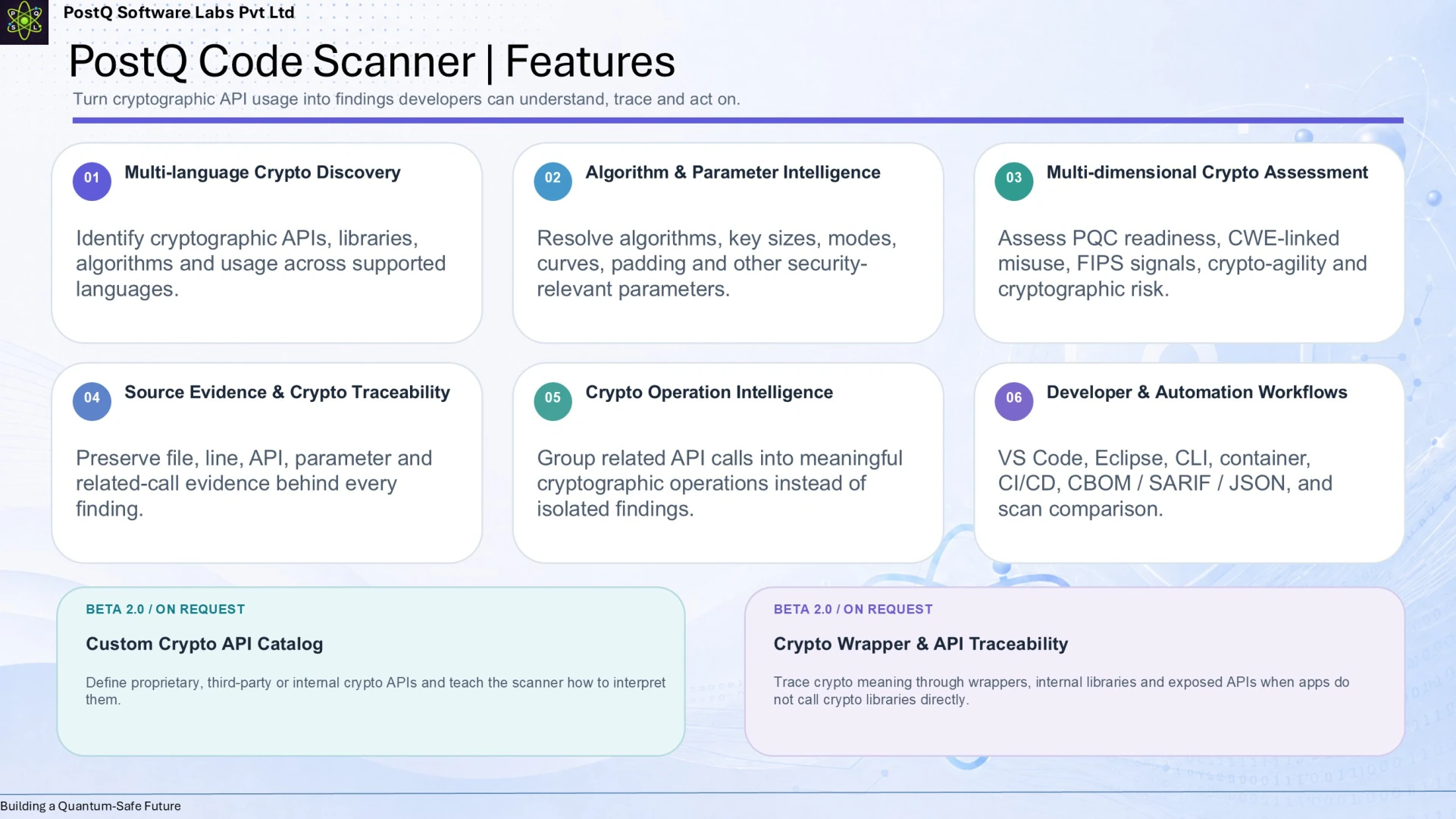
PostQ Code Scanner Features

Feature overview of multi-language discovery, algorithm and parameter intelligence, multi-dimensional assessment, source evidence, crypto operation intelligence, and developer workflows.
Cryptographic Discovery - slide 3

The scanner combines discovery across supported languages with algorithm and parameter analysis, assessment context, source evidence, grouping of related operations, and developer or automation workflows. The slide also marks the custom crypto API catalog and wrapper/API traceability as Beta 2.0 features available on request.

Slide 4

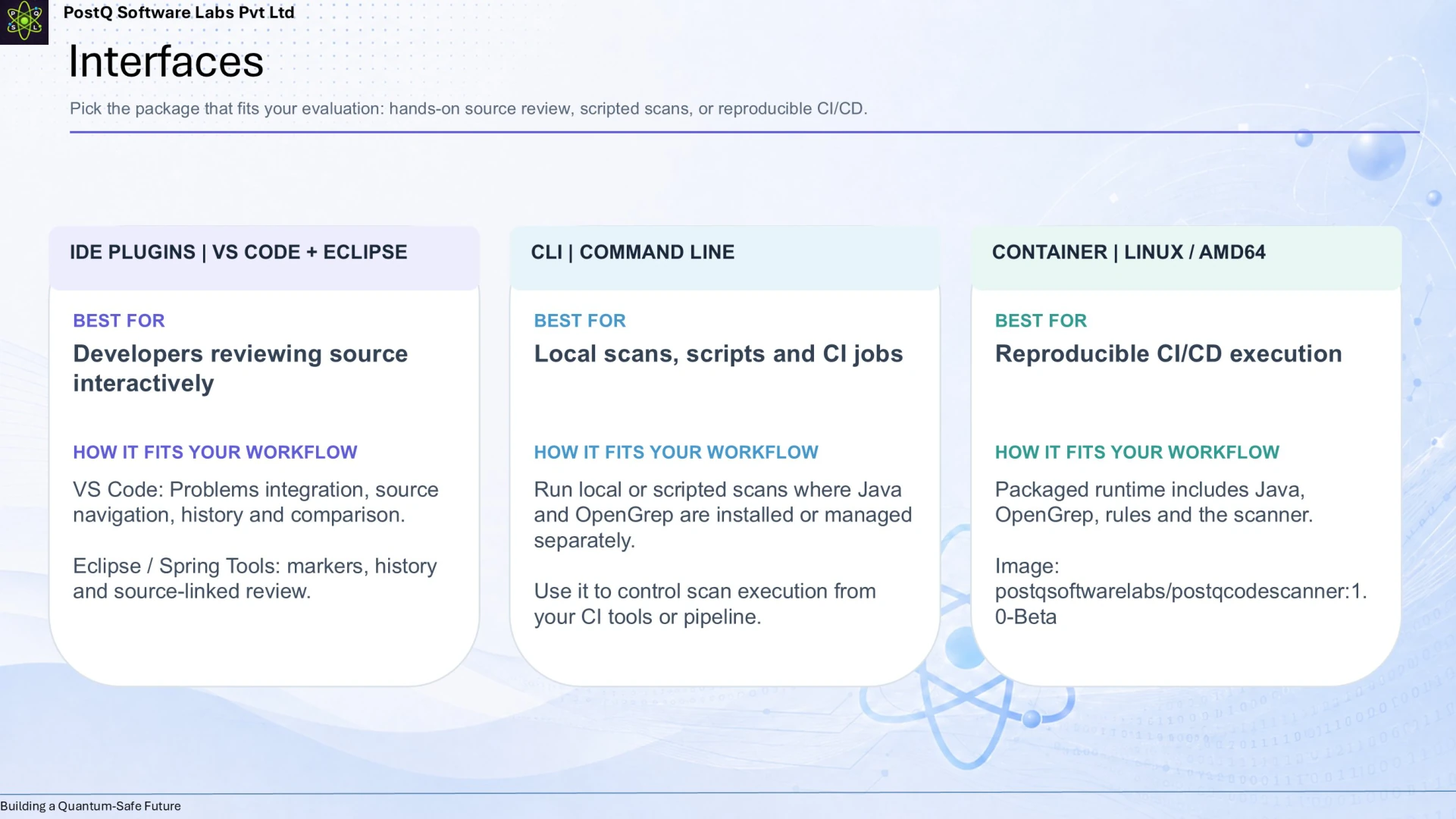
Interfaces

Comparison of IDE plugins, command-line scanning, and a Linux container workflow.
Cryptographic Discovery - slide 4

Teams can choose an interface that fits their development process: IDE plugins for interactive review, command-line scanning for local or scripted use, and a Linux container for repeatable CI/CD execution. This keeps cryptographic discovery close to the code and workflows teams already use.

Slide 5

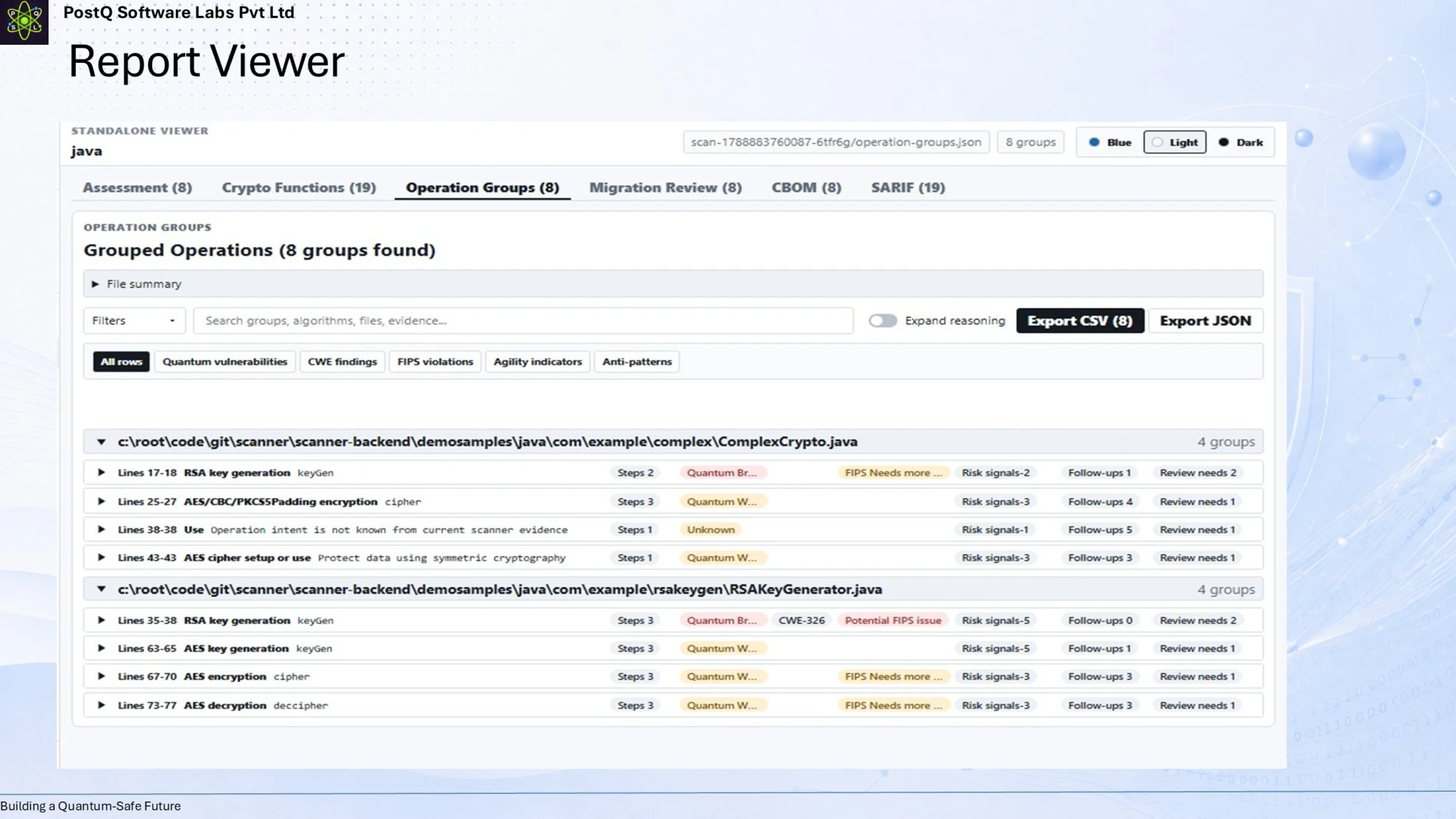
Report Viewer

Screenshot of the PostQ Code Scanner report viewer with grouped cryptographic operations and assessment findings.
Cryptographic Discovery - slide 5

The report viewer organizes scan results into grouped cryptographic operations, with evidence that supports review and investigation. Teams can use the output to move from an initial inventory toward prioritization, ownership, and migration planning.

Slide 6

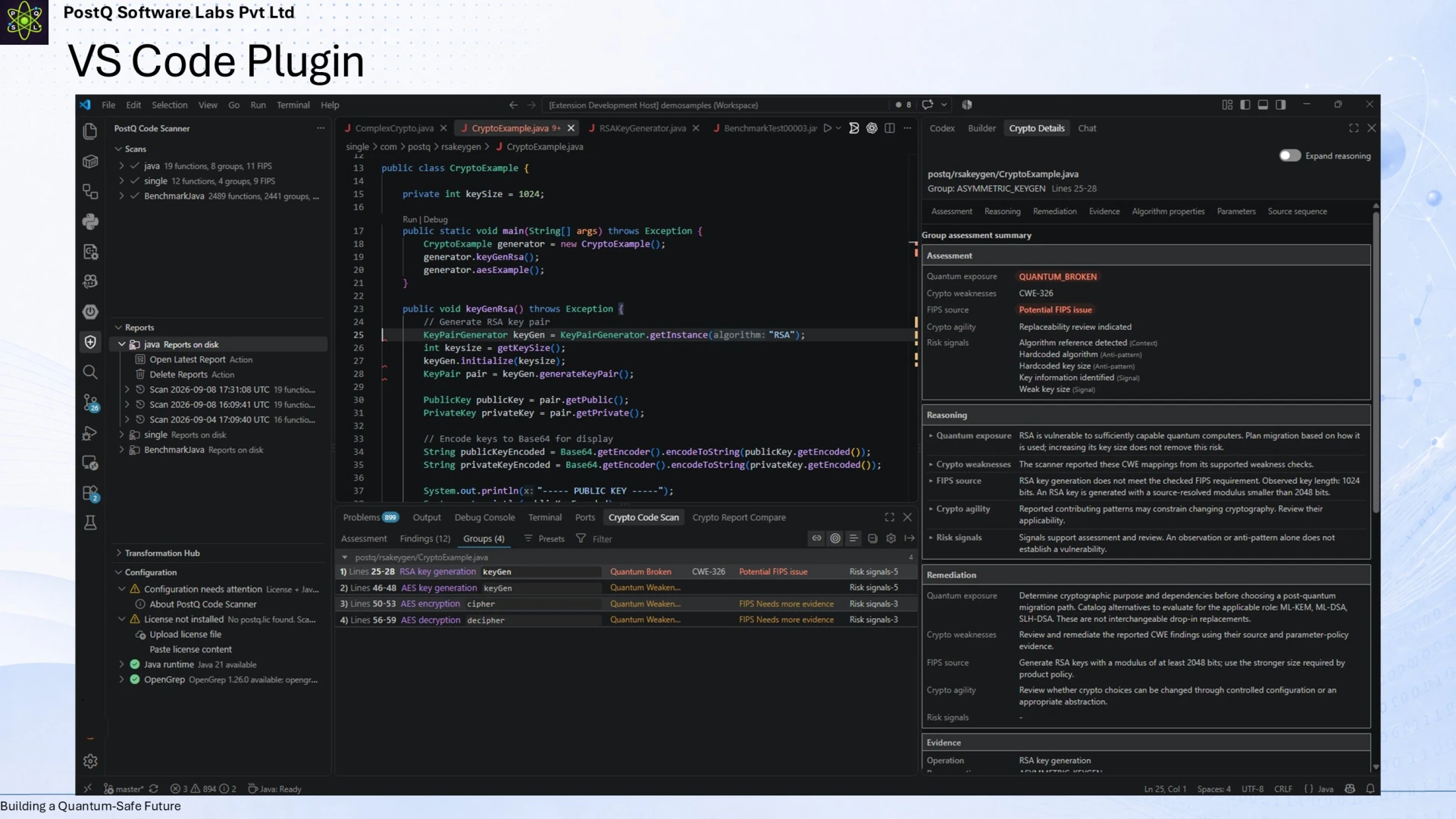
VS Code Plugin

Screenshot of PostQ Code Scanner inside Visual Studio Code.
Cryptographic Discovery - slide 6

The VS Code integration surfaces cryptographic findings alongside the code being reviewed. Developers can inspect a finding in context and use that evidence as part of normal development and code-review work.

Slide 7

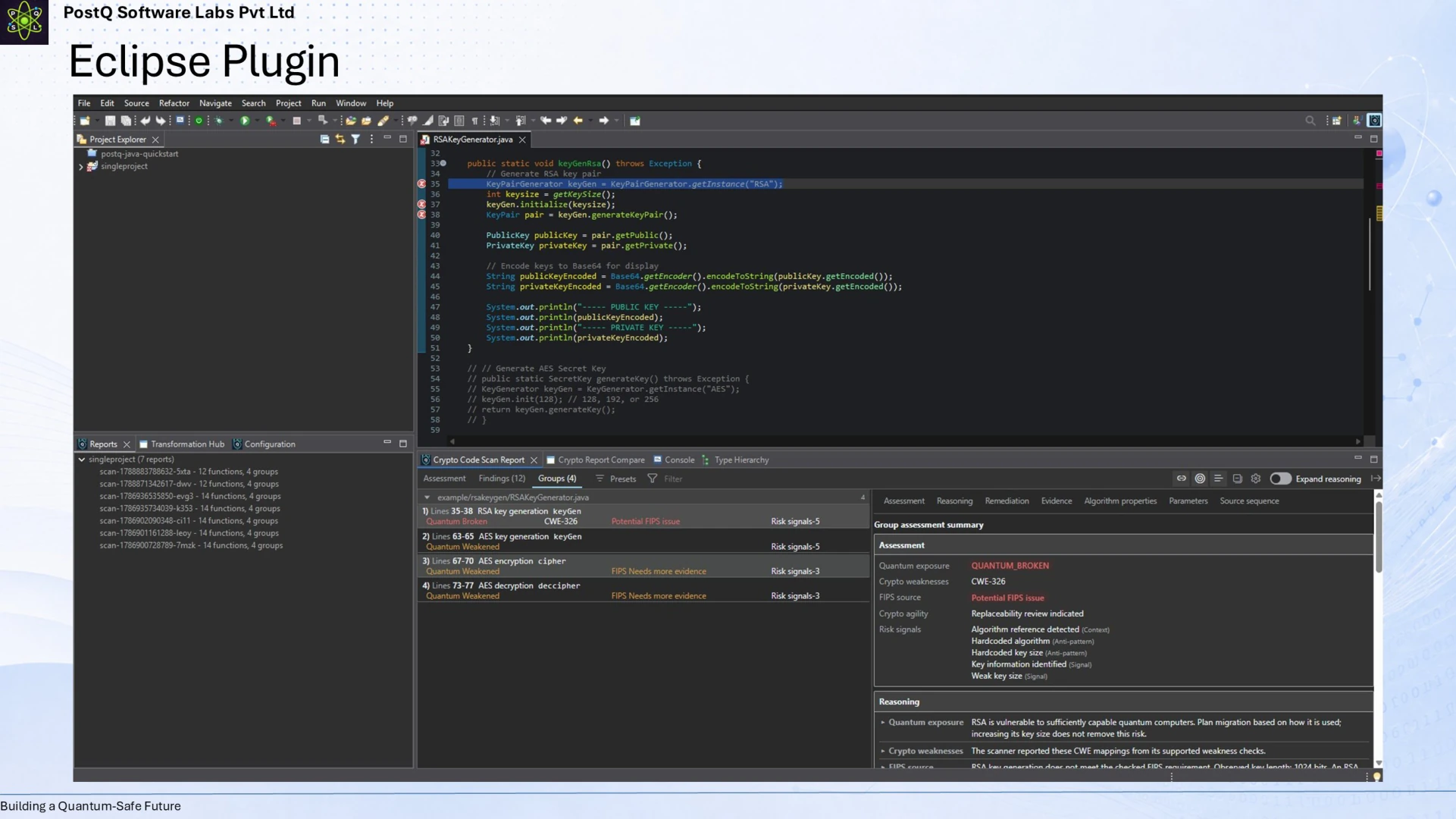
Eclipse Plugin

Screenshot of PostQ Code Scanner inside Eclipse.
Cryptographic Discovery - slide 7

The Eclipse integration brings cryptographic discovery into another common development environment. Keeping findings near source code can make it easier for developers to investigate usage and pass useful context to security and architecture teams.

Slide 8

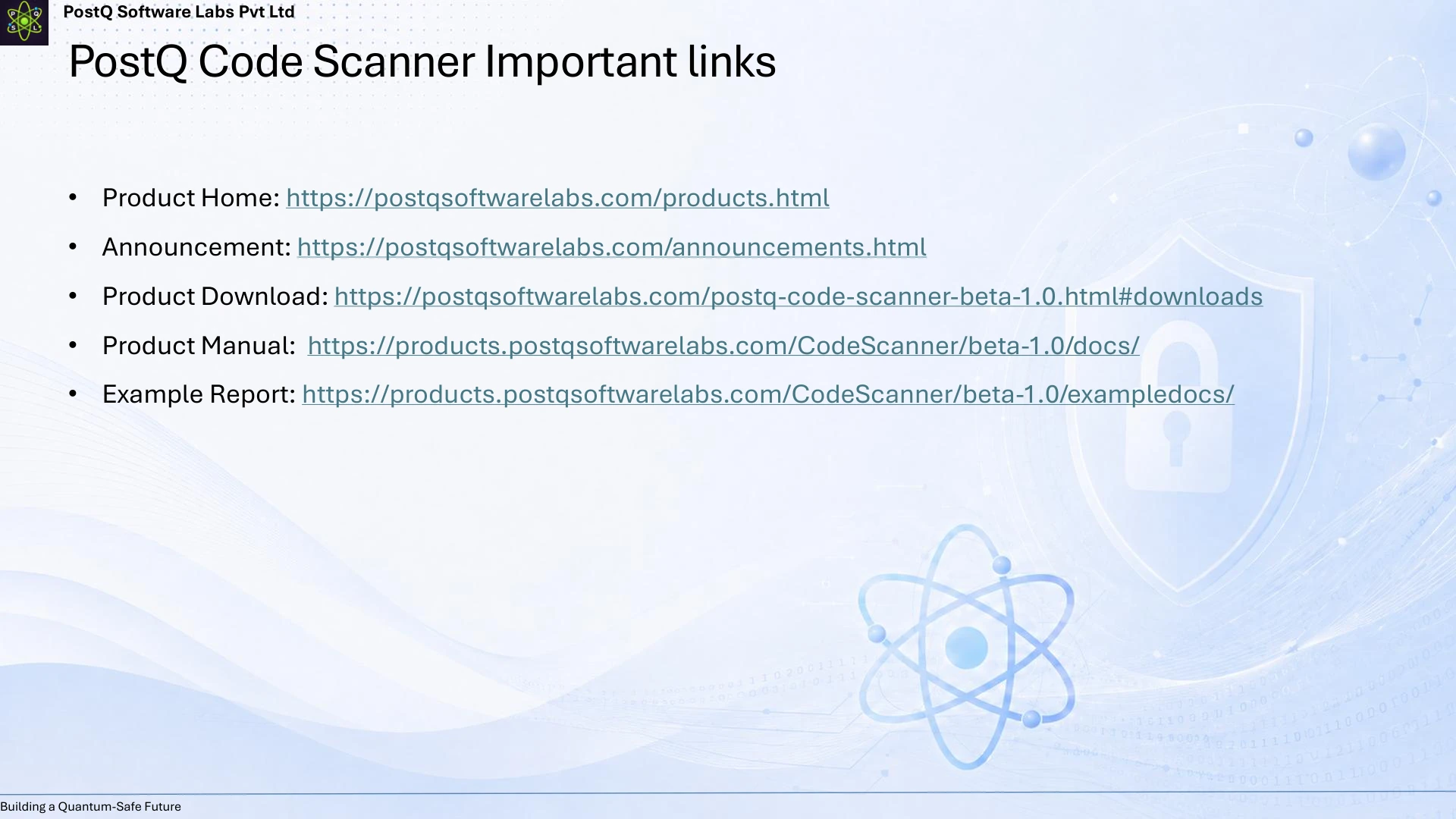
Important Links

Slide listing PostQ Code Scanner product, announcement, download, manual, and example report links.
Cryptographic Discovery - slide 8

The closing slide points readers to the product overview, release announcement, download page, user manual, and example report. These resources help teams evaluate the scanner, understand its workflow, and explore a sample of the information it produces.